Perspective Drawing
Learning Objective:
To understand and experiment with different types of perspective in design and create a dynamic artwork using one-point or two-point perspective.
Perspective drawing aims to show distance realistically.
Objects that appear far away are smaller and close are larger.
Perspective drawings give a sense of depth. There are two types:
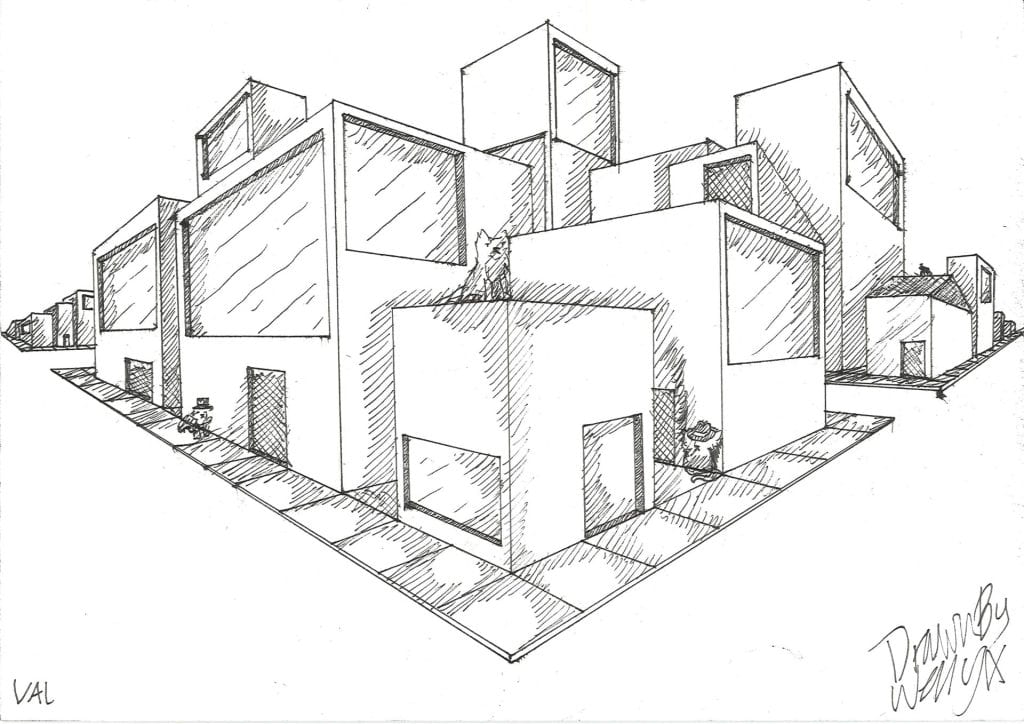
one point perspective

two point perspective

Both types have similar characteristics and involve the following:
A horizon line
– This is at eye level. It is the line at which the ground meets the sky.
A vanishing point
– This is positioned on the horizon line.
We can see that the lines all meet at one point, this is called the vanishing point.
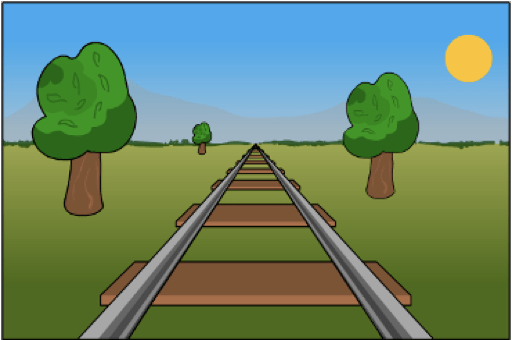

As parallel lines recede into the distance, they appear to converge and move closer together, eventually meeting at the vanishing point on the horizon line. This creates the illusion of depth and distance in the drawing.
ONE-POINT PERSPECTIVE
TASK 1 – Two 3D boxes
Try and draw two cubes in one-point perspective; one above the line and one below.
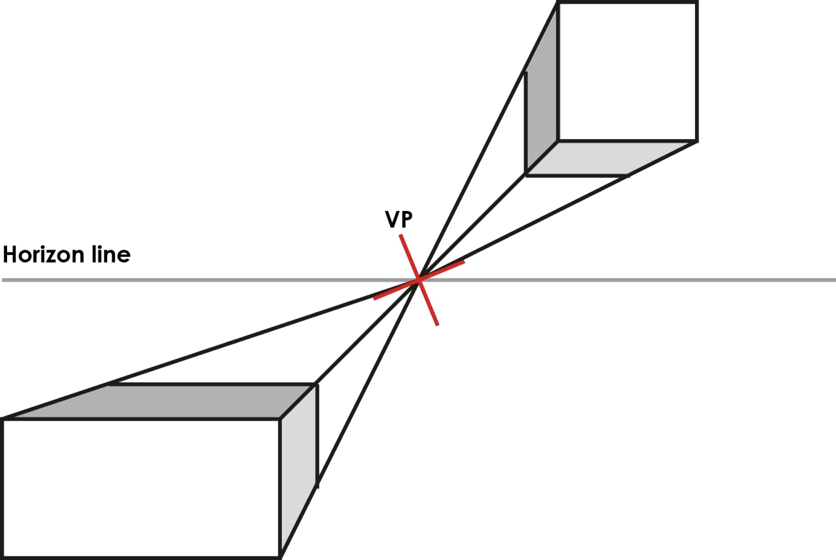
Guide
- Draw the horizon line
- Draw a cross in the centre – this is the vanishing point (VP)
- Draw a square top right and bottom right
- Add diagonal lines from the VP to create the 3D cubes
- Write your name clearly on the front of your page. This page will be scanned and uploaded to your webpage.
Directional Shading
Directional shading is especially useful for three-dimensional objects. Draw a cube and shade one plane vertically, and another horizontally. You will notice there is an illusion of depth as the strokes appear to move away from you, or reach forward. They will also clearly define the different sides of the object.
TASK 2 – 3D Initials
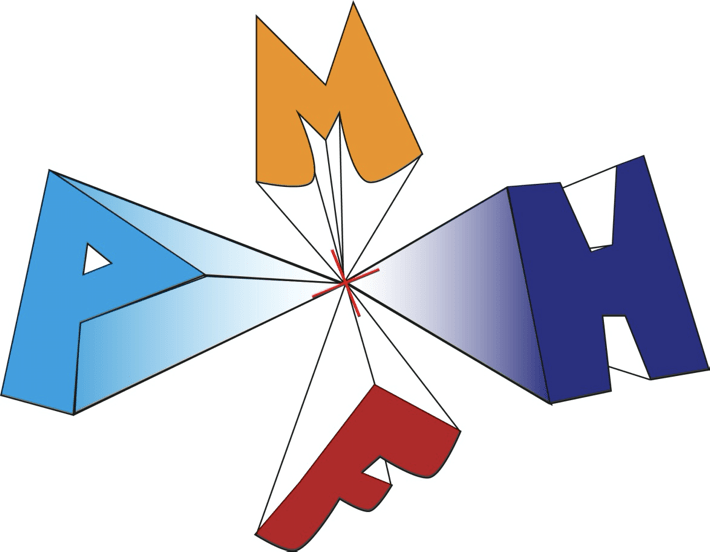
Now try and draw your initials in one one-point perspective but from different angles.
Extension
Render the letters with shading or colour to make your design stand out
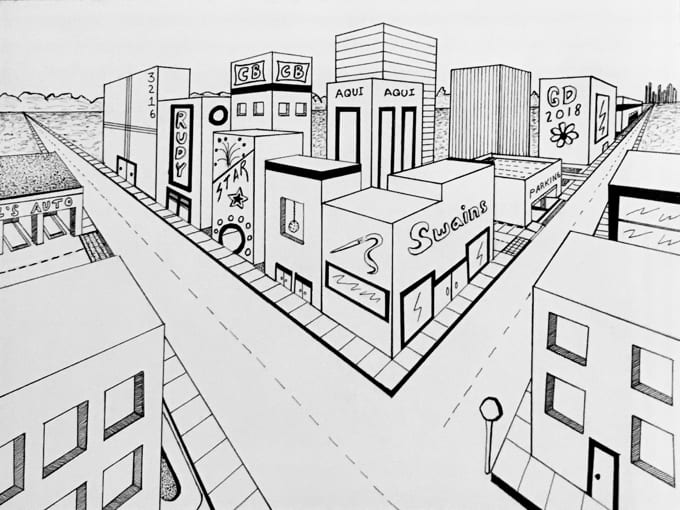
TASK 3: One-Point Perspective Street View
You will be able to create a one-point perspective drawing of a street view by applying the principles of perspective, including the use of a horizon line, vanishing point, and converging lines, to achieve depth and realism in your artwork.
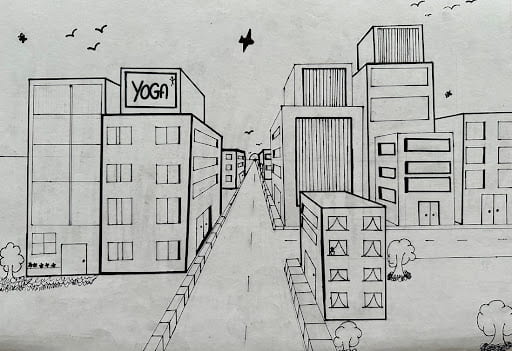
How to Draw a City Street View in One Point Perspective
In this time-lapse line drawing see one way to draw a City in One-Point Perspective using a thin black pen.
Step-by-Step Guide
You’ll need:
– A ruler
– A pencil
– An eraser
– A piece of cartridge paper, with your name clearly written on the front of your page.
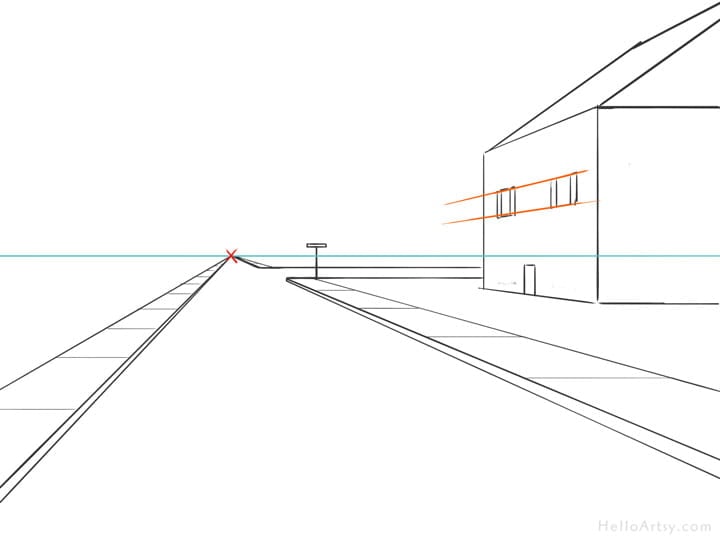


Step 1: Draw the Horizon Line
– Lightly draw a horizontal line across the middle of your paper.
– This line represents the horizon, where the sky meets the ground.
Step 3: Place the Vanishing Point
– Mark a small dot in the center of the horizon line
– This dot is the vanishing point, where all lines will converge.
Step 4: Draw the Road
– From the vanishing point, draw two diagonal lines extending down to the bottom corners of your paper.
– These lines form the sides of the road, which gets narrower as it moves into the distance.
Step 5: Add Pavement or Buildings
Pavement:
– Draw two parallel lines close to the road.
– These lines should also converge toward the vanishing point.
Buildings:
– Draw vertical lines on both sides of the road to outline buildings.
– Use the ruler to connect the tops of the buildings to the vanishing point.
Step 6: Add Windows and Doors
– For each building, add windows and doors as rectangles.
– Use the vanishing point to align the tops and bottoms of the windows and doors so they follow the perspective.
Step 7: Add Street Details
Streetlines:
– Draw dashed lines in the center of the road.
– These should get smaller and closer together as they approach the vanishing point.
Streetlamps or Trees:
– Place them along the pavement.
– They should decrease in size as they move toward the vanishing point.
Step 8: Add Depth with Shading
– Use shading to make your scene more realistic
– Add shadows to one side of the buildings.
– Darken the road and sidewalk closer to the foreground.
Step 9: Finish with Details
– Add clouds, cars, or people to bring your street view to life.
– Remember to keep everything in proportion and aligned with the vanishing point.
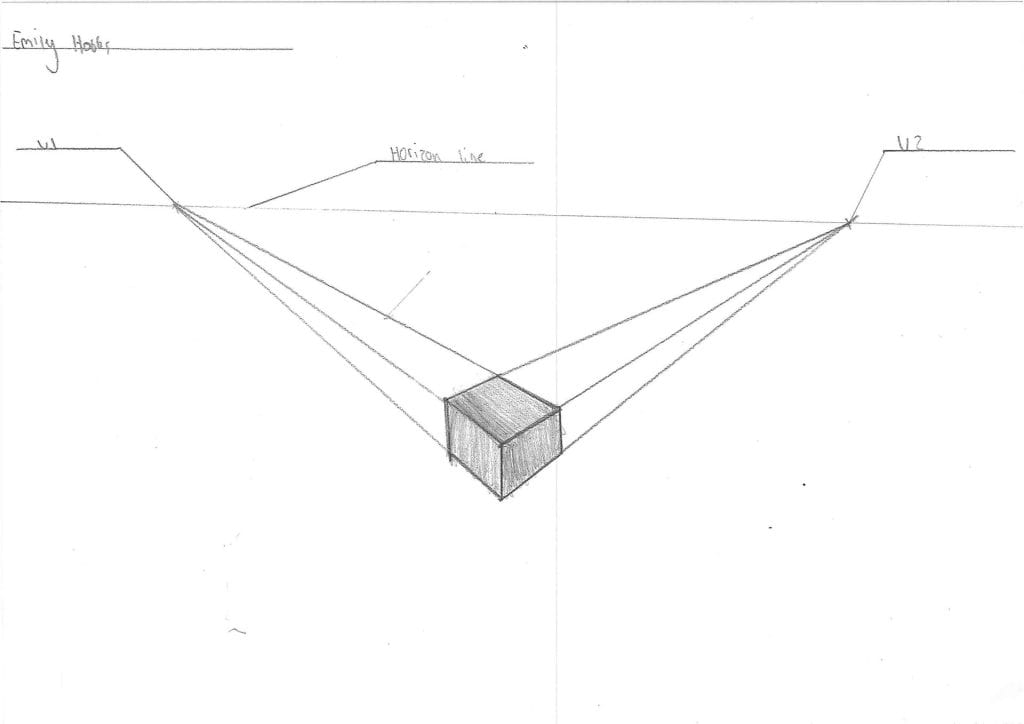
TWO-POINT PERSPECTIVE
1. Two-point perspective gives a more realistic view of an object drawn at an angle.
2. As before the horizon line is drawn, horizontally, across the page.
3. Now two vanishing points are added to the line
4. The drawing is started by creating the front edge and then add the projecting lines to the vanishing points.
5. Remember all vertical lines remain vertical and all horizontal lines all aim towards the vanishing points.
TASK 4 – Two Point Perspective
Draw a simple box using a two-point perspective.
Then add light and dark tones to the box using rendering ( texture, lighting and shading) this adds a greater sense of depth to the object.

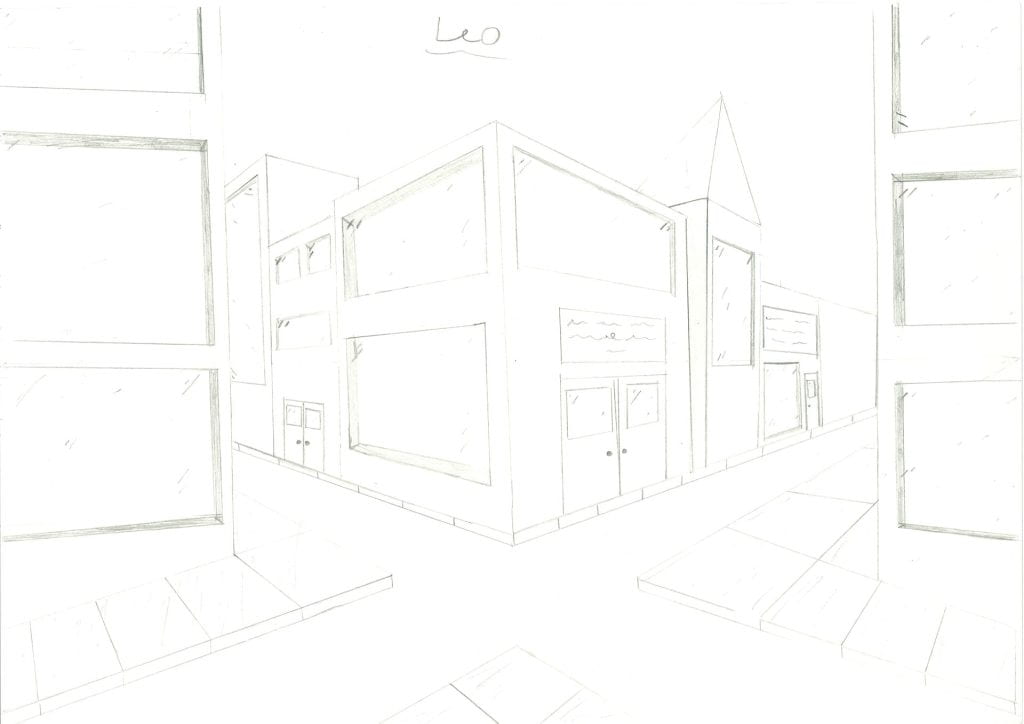
TASK 5 – Two-Point Perspective Street View
(Final Outcome)
Create a street scene using a two-point perspective.
Using a pencil and ruler, create a dynamic design that includes:
– A horizon line and vanishing points.
– Add objects (e.g., buildings, roads, furniture, or abstract shapes).
Challenge Task (Optional)
Create a futuristic cityscape. Add creative features like flying cars, skyscrapers, or floating platforms.
Materials You’ll Need
- Pencil
- Ruler
- Eraser
- Paper
Success Criteria
- Clear use of horizon line and vanishing points.
- Accurate lines and perspective.
- Creative and well-detailed design.

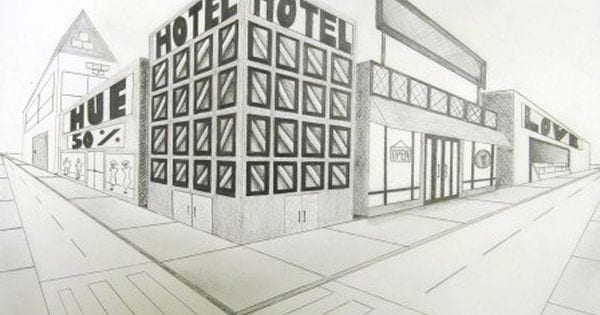
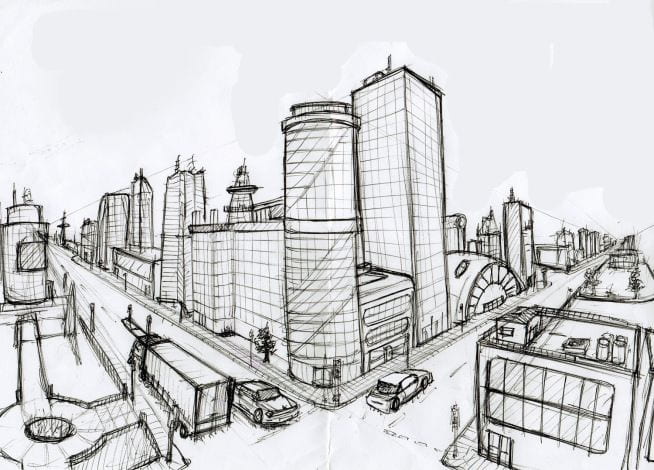
How to draw a City Street View in Two-Point Perspective
Adding Details
Once you are happy with your perspective lines, add details and shading to make your design stand out e.g. windows, doors, signs. See gallery below for inspiration.



Perspective Drawing Assignment

Project Introduction (Homework 1)
- Create a new webpage titled: 'Perspective Drawing'
- What is your understanding of perspective drawing. Include a gallery of images or videos to help illustrait your understanding and answer at least three of the questions below:
a. What is perspective in drawing, and why is it important?
b. What is a vanishing point, and how is it used in perspective drawing?
c. How do you determine the horizon line in a scene?


Reflect on One/Two point Perspective Drawings
 Click on this link and find your scanned drawings: one-point perspective, 3D letterforms, and two-point perspective.

One-Point Perspective
- Write a subheading "One-Point Perspective"
- Include your drawings as examples, write a short introduction explaining:
a. What happens to parallel lines as they move toward a vanishing point?
b. How might you use directional shading to create a more three-dimensional form?

Two-Point Perspective
- Write a subheading "Two-Point Perspective"
- Include your drawings as examples, write a short introduction explaining what two-point perspective is


Two-Point Perspective STREET VIEW
- Write an introduction explaining the Two-Point Perspective street view task

Street View - Halfway Review
- Upload your scanned street view drawing to your website under the subheading "Halfway Review"
REFLECTION
- Looking at your drawing what can you add/takeaway to improve your drawing? Here are some critical analysis questions you can consider:
- are your perspective lines correct/vertical lines vertical, how could you create more depth, how might you make a building look more 3D, what details can you include?

Street View Final Outcome
- Write an introduction explaining the street view task
- Add your complete Street View perspective drawings

Evaluation Questions
- How could your final product be improved if you were making it again?
- What new skills did you learn while doing this project?
- What were your strengths and weaknesses
One Point Perspective


Two Point Perspective



Two Point Perspective Cityscapes
2022


2023


2024


2025


2026


