BRUTALIST PHOTOMONTAGE
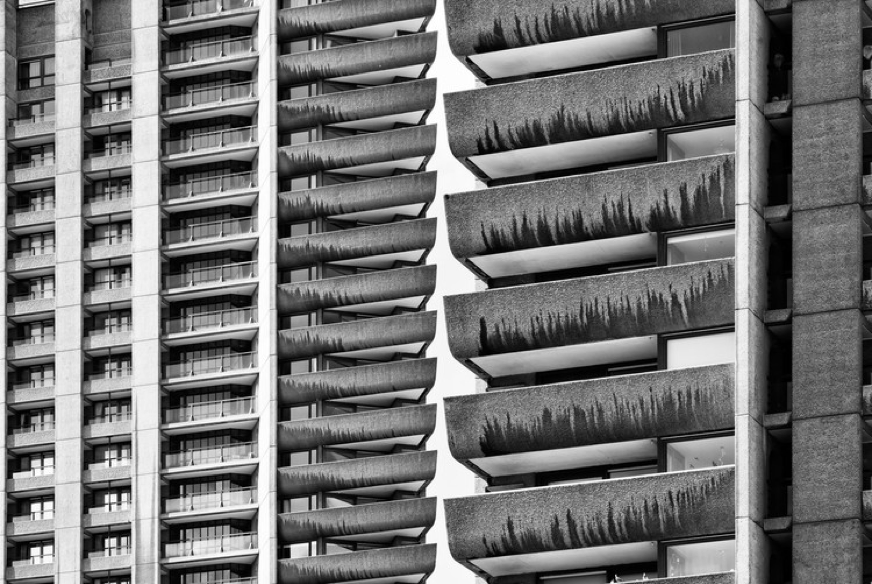
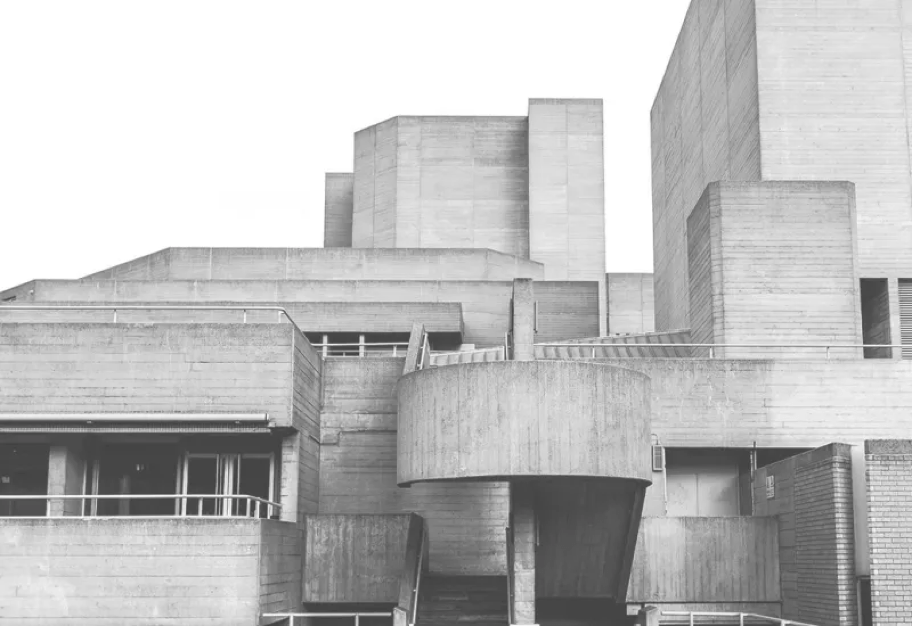
Brutalist architecture is an architectural style that emerged during the 1950s in the United Kingdom, among the reconstruction projects of the post-war era. It’s an architectural style characterised by their rigid, geometric ‘blocky’ appearance with an emphasis on materials and textures through use of poured concrete. Their minimalist construction, imposing large-scale showcase the bare building materials and structural elements over decorative design resulted in highly expressive forms as you can see below.


Brutalist Architecture in 6 Minutes: Ugly or Beautiful? 🤔
BARBICAN – CITY OF LONDON



SOUTHBANK



CREATIVE BRIEF
Brutalist Photomontage

Using the images in the Brutalist folder experiment with Photoshop to cut out and construct abstract brutalist structures with crisp outlines that carve into a white background.
PHOTOSHOP STEP BY STEP GUIDES


Layer Effects


Once you have completed your concept ideas, you might want to adjust the contrast and colours. To do this you will need to add a layer effect.
You might make the image black and white
Others may wish to combine concept ideas into one master design, like the design below.

Adding Typography

– Add the word “Brutalist” to your design
– Which font and font style complements the Brutalist structure?
Student Examples


BRUTALIST PHOTOMONTAGE ASSIGNMENT
TASK 1 RESEARCH
BRUTALIST GALLERY + YOUR UNDERSTANDING OF BRUTALISM
– Create an image gallery showing the raw concrete block formations, exposed concrete textures, geometric flourishes and repeat formations of the brutalist movement of the 1950s and 60s.
– Include a summary of your understanding Brutalist architecture. You could include dates, architects, and names of buildings.
TASK 2 CREATE
BRUTALIST ABSTRACT PHOTOMONTAGE
– Using the images in the Brutalist folder experiment with Photoshop to cut out and construct abstract brutalist structures with crisp outlines that carve into a white background.
TASK 3 HALFWAY REVIEW BRUTALIST COLLAGE
SHOW AND EXPLAIN YOUR EXPERIMENTS
– How have you used the brutalist lines, concrete block formations, geometric shapes and repeat formations to build your brutalist photomontage?
– Which concept idea is working the best and why?
– What is missing? What could be removed?
TASK 4 FINAL OUTCOME
BLACK AND WHITE & TYPOGRAPHY
– Make the image black and white using ‘layer effects’
– Add the word “Brutalist” to your design
– Use a font which complements the Brutalist Architecture
TASK 5 EVALUATE
- Based on the brief, how successful is your outcome?
- Describe the steps taken to achieve the finished piece. Explain how you refined your design over time. What decisions did you make?
- Is it aesthetically pleasing? Consider the structure:
– Composition (the arrangement/layout of the piece, is it off-centre?)
– Diagonal/vertical/horizontal lines
– Form (what is the shape of the key objects in the image?)
– Layers (building it up, in Photoshop)
– Sections (different parts, is it broken up or merged together?)